Setting Up a Vesting Schedule
Vesting schedules are configured when adding a new holding. Follow these steps:
- Start at the Grantd homepage and select the Client tab
- Select the client you would like to add a grant for
- Select the Holdings tab at the top of the page
- Select the + Add New Holding button
- Choose your entry method (manual or document upload)
Vesting Schedule Types
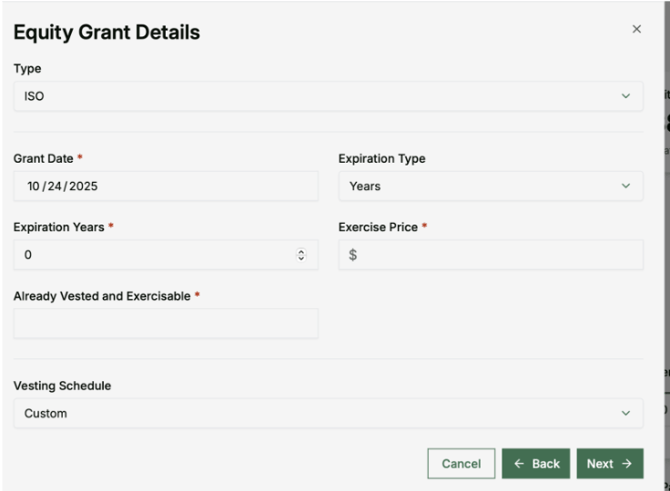
If manually entering grant information, you can select from three vesting schedule types:
Linear
Shares vest evenly over the vesting period.
Cliff + Linear
Shares vest with an initial cliff period followed by linear vesting.
Custom
Create a custom vesting schedule to match specific grant terms.
Completing the Setup
- Select your preferred vesting schedule type from the options at the bottom of the form
- Fill in the required vesting information based on the schedule type you selected
- Select Create